MP4 Vs WebM Vs WebP For Stickers With Sound
The maker downloads three formats, and they are not the same thing. MP4 is a video with sound. WebM is a video with sound, smaller and made for the web. WebP is a still picture with no sound at all. Download the right one for where the sticker is going, starting from the sticker maker after you preview the loop.

Choosing the format is a one second decision once you know the rule: sound goes in MP4 or WebM, pictures go in WebP. The rest of this guide explains when each one wins, so you never send a silent picture when you meant to send a sound.
Step By Step To Choose And Download
Choose the format by where the sticker is going, not by habit. Preview first, then download the format that suits the destination, and check the file before you share it.
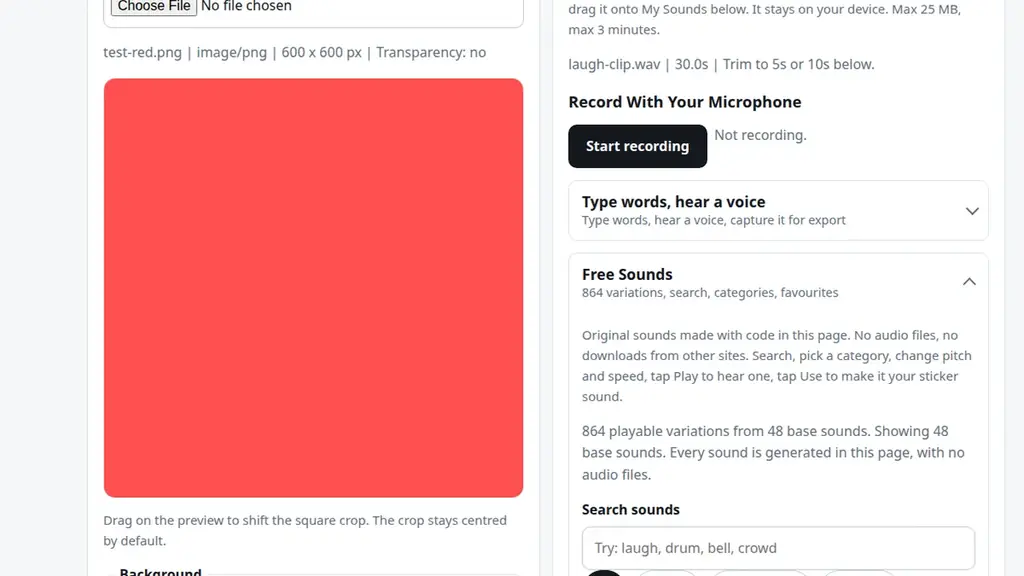
- Drop your picture onto the box that says Drop your picture here, set the square crop, and pick a background. Add your sound in step 2, and capture a typed voice before export if you used Speak it.
- Trim the sound in step 3. Pick 5 seconds or 10 seconds, move the window to the loudest part, press Play this part, and press Preview loop to watch the loop with sound.
- For chats and WhatsApp import, press Download MP4. MP4 plays in chat apps, phone galleries, browsers and social apps, and it carries your sound with the picture in one file.
- For a website or a web file, press Download WebM. WebM is usually smaller than the same sticker as MP4, and it can keep transparency where the browser supports it.
- For a silent picture only, press Download WebP image. WebP is a still image of your sticker picture, with no sound, no movement and no loop.
- Play the downloaded file before you share it. If a friend says a sticker was silent, check the file name first: if it ends in .webp, download the MP4 again.
MP4: The One That Carries Sound Everywhere
MP4 is the safest choice. It plays in chat apps, in phone galleries, in browsers and in social apps, and it carries your sound with the picture in one file. When you import a sticker into WhatsApp, MP4 is the file you want, because the import flow expects a video.
MP4 files are bigger than WebM files, but the difference is small for a 5 or 10 second sticker, and the extra size buys compatibility. If you only download one format, download MP4. See how stickers with sound work on Android for the import steps.
WebM: Smaller, Made For The Web
WebM is a video format made for browsers. It is usually smaller than the same sticker as MP4, and it can keep transparency where the browser supports it, which MP4 cannot do. For a sticker shown on a website, or shared as a web file, WebM is the efficient choice.
The trade-off is compatibility. Some chat apps and phone galleries handle WebM less smoothly than MP4, so a WebM sticker can arrive as a file that needs an extra tap to play. Use WebM for the web, and MP4 for chats.
WebP: A Silent Picture Only
WebP from this maker is a still image of your sticker picture. It has no sound, no movement and no loop, because a still image cannot carry audio. It is useful when you only need the picture: a thumbnail, a preview, or a silent version for a place that does not play video.
Do not send a WebP file expecting sound. If a friend says your sticker was silent, check the file name first: if it ends in .webp, that is the reason. Download the MP4 again, and follow the silent sticker fixes if the MP4 is silent too.
Real Moments In The Right Format
The same moment needs a different format in different places. A birthday cheer belongs in an MP4 in a chat, a web gallery wants a WebM, and a thumbnail wants a WebP picture.
- A friend laughing, sent to a group chat as an MP4. The sound plays when tapped, and the file plays in the gallery too.
- A pet photo shown on a website as a WebM. The file is small, it loops in the browser, and it keeps the sound for visitors who play it.
- A birthday photo used as a thumbnail or a preview as a WebP picture. The picture alone is enough, and nobody expects sound from a thumbnail.
Tips For Choosing A Format
One rule covers most choices: sound goes in MP4 or WebM, pictures go in WebP. The rest is about the destination, not the sticker itself.
- If you only download one format, download MP4. It is the safest choice, and the extra size over WebM is small for a 5 or 10 second sticker.
- Use WebM for the web and MP4 for chats. Some chat apps and phone galleries handle WebM less smoothly than MP4.
- Never send a WebP file expecting sound. A still image cannot carry audio, so the friend will see the picture and hear nothing.
Troubleshooting Quick Checks
Format problems are usually the wrong file for the destination, or a silent source. Check the file name, then the sound, then the export.
- WebP sticker is silent: that is expected, because WebP is a picture format. Download the MP4 or WebM version for sound.
- WebM plays oddly in a chat: send the MP4 instead. WebM suits browsers, and MP4 suits chat apps and galleries.
- MP4 is silent too: the sound was not loaded, or a typed voice was not captured. Fix step 2, preview again, and export the MP4 once more.
Frequently Asked Questions
Which Format Should I Send To WhatsApp?
MP4. It carries the sound, it is what the Create sticker flow expects, and it plays in the chat when tapped. WebM and WebP are not the right choice for WhatsApp import.
Which Format Is The Smallest File?
Usually WebM, then MP4, then WebP as a still image. For a 5 second sticker the difference is small, so choose by where the sticker is going, not by size alone.
Why Is My WebP Sticker Silent?
WebP is a picture format. It cannot hold sound, so the maker exports only the picture. Download the MP4 or WebM version for sound.
Can I Download All Three Formats For One Sticker?
Yes. Preview once, then press Download MP4, Download WebM and Download WebP image in turn. Each download is a separate file, so keep the file names clear.