Free Sounds That Are Safe To Use In Stickers
Safe sounds are sounds nobody else owns in a way that can come back to you: sounds generated on your device, sounds you recorded yourself, and music you made yourself. The maker builds its free sounds with code, in your browser, so they belong to no catalogue and no other site. Explore them in the free sounds in the maker and use them in any sticker you make here.

Safe sounds are sounds nobody else owns in a way that can come back to you: sounds generated on your device, sounds you recorded yourself, and music you made yourself. Unsafe sounds are the opposite: a clip lifted from a show, a song owned by a label, a famous sound effect downloaded from a random site. This guide shows you how to stay on the safe side without giving up funny sounds.
Use The Free Sounds, Step By Step
The free sounds are not files sitting on a server. They are made by a sound generator that runs in your browser, from 48 base recipes, changed by pitch, speed, and echo. That gives 864 playable variations, and every one is made fresh on your device.
- Add your picture first. Drop a photo onto Drop your picture here in step 1, set the square crop, and pick a background: Transparent, White, Black, or Colour. The sound choice comes after the picture, so the face and the sound can match.
- Open Free Sounds in step 2. Open Free Sounds and read the sound list. Use the search box to find a sound by name, for example laugh, drum, bell, or crowd, or tap a category chip to filter the list in one tap.
- Tap a sound to hear it. Tap any sound card to hear it, then tap Use to make it your sticker sound. If a sound is almost right, change the pitch or speed and try it again. The same recipe can sound completely different at a low pitch or a fast speed.
- Try Surprise me. Press Surprise me and the maker picks a random sound for you. It is the fastest way to find a sound you would never have searched for, and it often beats the obvious choice.
- Save favourites. Tap the star on any sound card to mark it as a favourite, then press Favourites only to see just your saved sounds. Favourites stay on your device, in your browser, so you can rebuild a sticker later with the same sound.
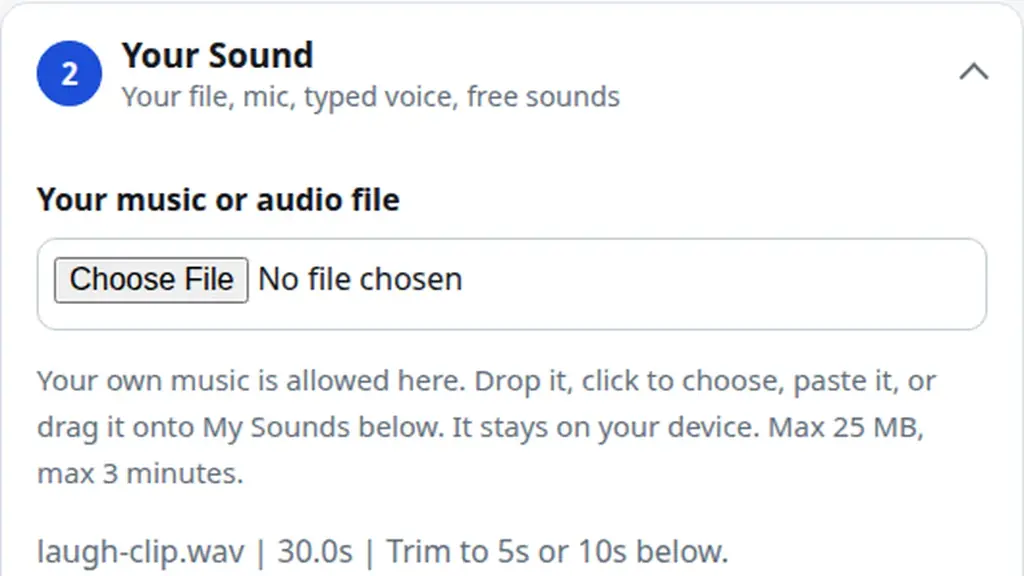
- Trim, preview, and download. In step 3, press 5 seconds or 10 seconds, move the trim window onto the loudest part, press Play this part, then press Preview loop and Download MP4.
For short, recognisable sounds that pair with a face, see the meme sounds guide for ideas on matching sound to expression.
Real Moments With Safe Sounds
A generated sound works best when it stands in for a real moment, not when it pretends to be a famous clip. Use the free sounds to finish a real photo, and the sticker stays both safe and personal.
Your Own Photo With A Generated Laugh
Use your own laughing photo and pair it with a generated laugh from the free sounds. The face is yours, the moment is yours, and the sound is generated on your device, so the whole sticker is clean.
A Friend Laughing, Finished With A Cheer
Photograph a friend laughing, then add a generated cheer or applause as the sound. The photo carries the personal part, and the generated sound carries the energy.
A Pet Photo With A Generated Bark
Your own pet, photographed by you, paired with a generated bark or chirp, works when you could not record the real sound in time. The photo is real and personal, and the generated sound is safe.
A Birthday Photo With A Generated Fanfare
A birthday photo with candles and smiling faces, paired with a generated fanfare or cheer, keeps the occasion bright without borrowing a song. Use 5 seconds, put the loudest second at the start, and preview the loop.
Cartoon smileys are only a minor backup. Your own photo comes first, and a friend's funny moment comes second.
Tips For Choosing Safe Sounds
- Start with the free sounds. They are generated on your device, so they carry no catalogue and no other site.
- Use your own recordings next. A laugh, a cheer, or a line you recorded yourself is always safe.
- Use music you made yourself. Your own tune, played and recorded by you, is safe in your own stickers.
- Change pitch, speed, and echo to make a generated sound your own. Small changes make a big difference.
- Save favourites and finished stickers. Favourites stay in this browser only, so export while you have them.
Troubleshooting Safe Sound Choices
- You are not sure a clip is safe. Do not use it. Pick a generated free sound, or record the sound yourself.
- A sound from another site sounds perfect. It may still belong to someone else.
- You want a famous song in a sticker. Use your own music instead, or a generated sound that sets the same mood. A famous song belongs to its label, even in a 5 second sticker. For the wider picture on voices and sounds made here, see the free meme voices and sounds guide.
- The free sound is almost right. Change the pitch, the speed, or the echo, and try it again.
- Favourites disappeared. They live in this browser on this device only. Clearing browser data can remove them.
Frequently Asked Questions
Can I Share Stickers That Use The Free Sounds?
Yes. The free sounds are generated on your device by code in this page, not copied from other sites, so you can use them in your stickers and share those stickers.
Can I Use The Free Sounds In Videos I Post Elsewhere?
The sounds are made for stickers in this maker. Use them in the stickers you make here, and record or create your own audio for other projects where you need a clear licence.
Do My Favourite Sounds Stay Saved?
Favourites stay in your browser on this device only. They do not sync to other devices, and clearing browser data can remove them, so export finished stickers while you have them.
How Many Free Sounds Are There?
There are 48 base sound recipes, and pitch, speed, and echo changes give 864 playable variations. Every variation is made fresh on your device when you press play.