Free Meme Voices And Sounds
Free meme voices and sounds for stickers are sounds you can use without paying and without downloading files from other sites. This maker generates its sounds with code, lets you capture a typed voice into a real audio file, and lets you save your own music as a My Sound. Or go straight to Free sounds sticker maker.

Every free sound here is synthesised by code in the maker, from 48 base recipes changed by pitch, speed and echo into 864 variations. No audio is fetched from another site and no recording of another person is used, so the sounds are original and free to use in your stickers.
Step By Step To Find And Use A Sound
Start with a picture, then hunt for the sound that matches it. The free sounds are made on your device, so you can try as many as you like before you choose one.
- Drop your picture onto the box that says Drop your picture here, drag the preview to set the square crop, and pick a background. Keep the picture simple so the sound can do the joking.
- Open Free Sounds in step 2. Type a word in the search box, such as laugh, drum, bell or crowd, or tap a category chip to filter the list. Press play on each sound card to hear it.
- Change a sound that is almost right. Pick Low, Normal or High pitch, Slow, Normal or Fast speed, and turn Echo on or off. Each change makes a new variation, and the maker offers 864 variations from 48 base recipes.
- Press Surprise me for a random sound when you are stuck, and tap the star on any sound to save it as a favourite. Press Favourites only to see just your saved sounds.
- For a typed voice, type the line, set the voice pitch and speed, press Speak it to hear it, then press Capture voice for export (tab audio) or Capture voice for export (microphone). A plain preview cannot be saved, so capture first.
- Press Save current sound to My Sounds to keep a sound on this device, then trim it in step 3, press Preview loop, and press Download MP4.
If a free sound is close but not quite right, change the pitch or the speed before you give up on it.
Generated Sounds, Honestly Counted
The sound library has 48 base recipes across funny, meme style, animals, reactions, sports, gaming, love, birthday, festival and everyday categories. Each base sound plays at 3 pitches, 3 speeds, with echo on or off, which is 48 times 3 times 3 times 2, or 864 playable variations. Nothing is stored as an audio file. Every variation is rendered in your browser when you press Play or Use.
Typed Voices That Really Export
Type a line, hear it with Speak it, then capture it. Tab audio capture records the spoken line in Chromium when you share this tab with audio on. Microphone capture records it through the mic in most browsers. The capture becomes a real audio buffer, so MP4 and WebM export embed it. The page shows the captured level, and warns you if the capture was silent.
Your Own Music As My Sounds
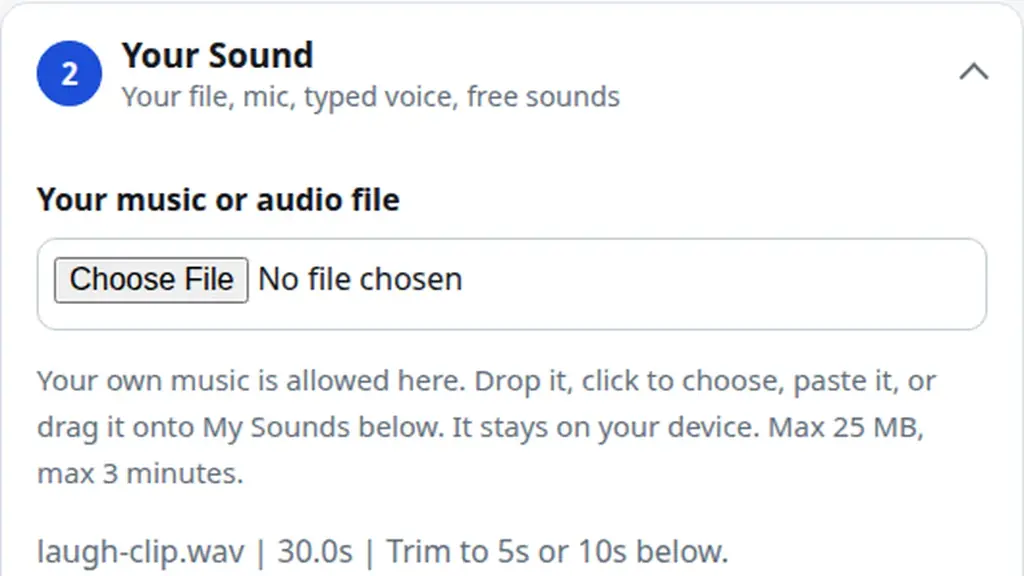
Drop your music onto the My Sounds area, or save the current sound as a My Sound. Saved files stay in this browser through IndexedDB, are never uploaded, and can be played, used, or deleted from the same panel.
Real Moments With Free Sounds
Free sounds work best with a real photo. The photo is yours, the sound is generated, and the combination is new.
- Your own photo of a friend laughing, paired with a generated laugh or cheer at high pitch. The photo is real, and the sound adds the joke.
- A pet photo with a generated animal sound or a pop. Your pet, your photo, and a sound that matches the expression in the picture.
- A birthday photo with a generated cheer or bell sound. The sound says celebration in under a second, and the photo says whose birthday it is.
- A photo of a baby laughing, paired with a soft cheer or a pop. Keep the sound gentle, keep the trim short, and preview the loop before you send it to family.
Tips For Free Sounds And Voices
Search with a feeling in mind, not a file name. Think cheer, fail, surprise or love.
- Try three or four sounds before you choose. The first sound that makes you laugh is usually the right one, and the second listen confirms it.
- Use pitch and speed as joke controls. A higher pitch makes a cheer sillier, a slower speed makes a fail funnier, and echo makes a dramatic sting bigger.
- Save favourites as you go. Tap the star on sounds you like, so the next sticker starts from a short list instead of a fresh search.
- For a typed voice, keep the line short. One catchphrase, one greeting or one joke line captures cleanly and trims well.
Troubleshooting Quick Checks
Free sound problems are usually search problems or capture problems. Check that a sound is actually loaded, and that a typed voice was captured, before you export.
- No sound plays when you press a card: check your device volume and browser sound permission, then try another sound card.
- Typed voice speaks but the download is silent: you pressed Speak it without a capture. Press a capture button, check the captured level, then export.
- Capture says almost silent: use microphone capture with the volume up, or use a recording or a free sound instead. The tab audio route needs the tab shared with audio on.
Frequently Asked Questions
Are These Sounds Copyright Free?
They are generated in code on this page, with no copied recordings, so they carry no recording taken from another site. A typed voice uses your browser voice. Your own music stays your responsibility.
Can I Download The Sounds On Their Own?
Sounds are used inside stickers. Export the sticker as MP4 or WebM to share the sound with the picture.
Do Free Sounds Work In Stickers I Share Widely?
The free sounds are generated on your device by code, with no copied recordings, so you can use them in your stickers. Your own music stays your responsibility, and clips from shows and songs belong to their owners.
Can I Keep A Free Sound For A Later Sticker?
Yes. Press Save current sound to My Sounds, or save a file with Drop a sound file here in the My Sounds panel. Saved sounds stay in this browser on this device, and you can play, use or delete them there.