WhatsApp Stickers With Sound Download
A WhatsApp sticker with sound starts as a downloaded MP4 video with embedded audio. You make the video in the maker, save it to your Android phone, and import it through the Create sticker flow in WhatsApp Beta. If the Sound icon does not appear, the file still works as a short video with sound. Or go straight to WhatsApp stickers with sound download maker.

The file you download is an MP4 video with the audio embedded in it, not a silent picture and not a separate sound file. WhatsApp treats that video as a sticker only when you import it through the Create sticker flow inside a chat, which is the flow this guide follows step by step.
Step By Step From Maker To Download
The download is only one part of the job. Make the sticker, check it in the gallery, and only then import it in WhatsApp. Each check below takes a few seconds and saves a silent sticker.
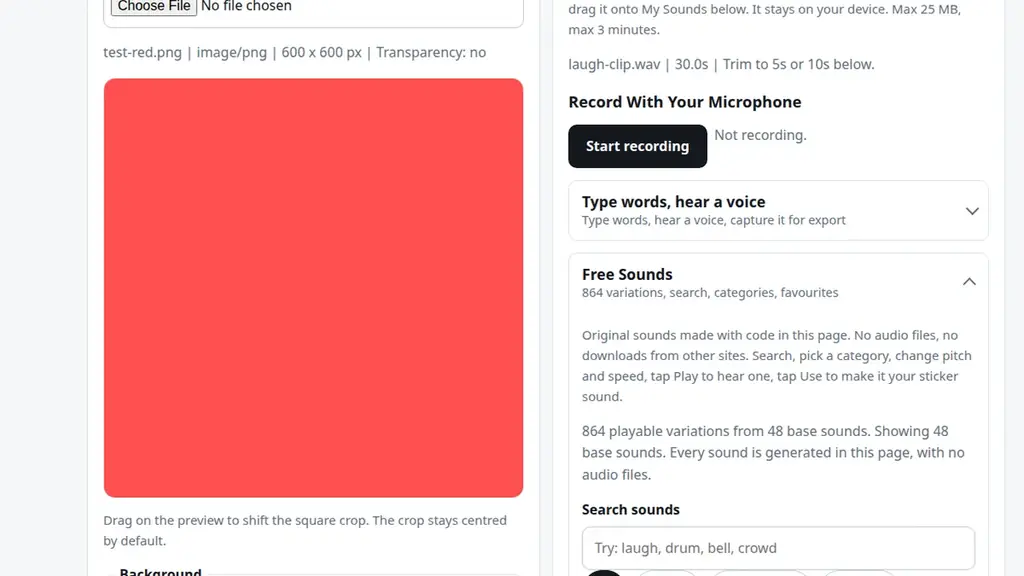
- Open the maker and drop your picture onto the box that says Drop your picture here. Drag the preview until the subject sits in the middle of the square crop, then pick a background that suits the photo.
- In step 2, add your sound: an audio file, a recording made with Start recording, a captured typed voice made with Speak it and a capture button, or a free sound. The last sound you pick is the sound that gets used.
- In step 3, pick 5 seconds or 10 seconds and move the window onto the loudest part of the sound. Press Play this part and listen, then press Preview loop and watch the loop three times.
- Press Download MP4. Do not download the WebP image for WhatsApp, because the WebP image has no sound. Save the MP4 to your phone so it appears in your gallery.
- Open the downloaded MP4 in your gallery app and play it with the sound on. Confirm that you can hear the sound and that it starts at the right moment before you open WhatsApp.
- Press Send to WhatsApp in the maker if your phone offers the share sheet, or open WhatsApp yourself, tap the sticker icon, tap Create sticker, pick the video, tap the Sound icon, tap Add sound, and choose Keep original audio.
If the gallery playback is silent, go back to step 2 and fix the sound before you import anything. A file that is silent in the gallery will be silent as a sticker too.
Download The Right File
Download the MP4 from the maker, not the WebP image. The WebP has no audio. Keep the video square at 512 by 512 and 5 or 10 seconds long. Save it to the phone Gallery so WhatsApp can find it.
Import It In WhatsApp Beta
Open WhatsApp Beta on Android, open a chat, tap the sticker icon, tap Create sticker, and pick the video. Tap the Sound icon, tap Add sound, then Keep original audio. Save the sticker and send it. When someone taps it, a speaker icon appears and the sound plays.
If The Sound Icon Does Not Appear
Meta enables sound stickers per account in a gradual rollout on Android Beta version 2.26.47.1. No setting on the phone forces it on. Send the file as a short video for now and try the Create sticker step again after a later Beta update.
Real Moments Worth Downloading
Download the stickers that only your chats would understand. A real moment, saved as an MP4 with its own sound, is worth more than ten generic stickers, because it carries a memory your friends were part of.
- Your own photo of a friend laughing, with the laugh recorded at the same moment. Import it once and it becomes a group chat regular.
- A pet photo from your own phone, with the bark or the meow you recorded. Friends recognise your pet at once, and the sound makes the sticker unmistakable.
- A birthday photo with the cheer from the room. Download the MP4, check the cheer in the gallery, and send it to the birthday person first.
- A travel photo of friends at a viewpoint, with the wind and the laughter from that stop. The sound turns a still photo into a place your friends remember.
Tips For A Clean Download
A clean download is a file you can trust. Check the format, check the sound and check the place it is saved, and the import step becomes simple.
- Always download MP4 for WhatsApp. WebM suits the web, and WebP is a silent picture only, so neither is the right file for sticker import.
- Play the MP4 in your gallery before you import it. That one playback confirms the sound, the trim and the picture in a single check.
- Keep the file name clear. If you make several versions, download only the version you previewed and liked, so you do not import an older silent copy.
- Save the MP4 in your gallery, not only in a file manager folder. WhatsApp looks in the gallery when you pick a video for Create sticker.
Troubleshooting Quick Checks
If the download or the import goes wrong, the cause is usually the file, the sound or the rollout. Work through the checks in order.
- Download never starts: check your browser download permission, then look in your Downloads folder, because the file may already be there.
- MP4 is silent in the gallery: the sound was not loaded, or a typed voice was not captured. Capture the voice first, then press Download MP4 again.
- No Sound icon in WhatsApp: the rollout has not reached your account yet. The MP4 still sends as a short video with sound, and you can import it later when the icon appears.
Frequently Asked Questions
Does This Work On Apple Phones?
No. There is no iOS announcement for sound sticker import. On iPhone the same MP4 sends as a normal short video.
Does It Work On WhatsApp Web?
No. WhatsApp Web and WhatsApp PC do not offer sound sticker import. The file sends as a short video there.
How Do I Know The MP4 Has Sound Before I Import It?
Play it in your gallery app with the sound on. If you hear the sound there, the sound is embedded in the file. If the gallery playback is silent, fix the sound in the maker and download again.
Can I Download The Same Sticker Again Later?
Yes, if you still have the picture and the sound. The maker does not store finished stickers online, so rebuild the sticker in the maker and press Download MP4 again.